In 2026, managing a property remotely isn't just possible—it's often more efficient than local management. When I first started hosting from 3,000 miles away, I was terrified of a water leak or a lockout. Today, my 'Remote Tech Stack' gives me more visibility into my properties than I ever had when I lived next door.
Smart home technology has evolved from a 'cool luxury' to an absolute necessity for the modern host. It provides the security, efficiency, and peace of mind required to scale a portfolio across different cities or even continents. This comprehensive guide covers the essential tech stack I've refined over 5 years of remote hosting.

The Core Technology Stack Every Remote Host Needs
A complete remote management setup typically includes six essential components that work together. I've found that trying to 'cheap out' on these items usually costs more in the long run through failed check-ins or emergency visits. Here is my 'tried and true' stack:
- Smart Lock: Keyless guest access with remote code management.
- Smart Thermostat: Climate control and energy management to save on utilities.
- Noise Monitor: Party prevention and neighbor relations (privacy-safe).
- Security Cameras: Exterior monitoring for security and verifying guest count.
- WiFi System: Mesh networking for reliable connectivity throughout the home.
- Water Leak Sensors: Early detection to prevent catastrophic damage.
In my experience, the integration between these devices is just as important as the devices themselves. You want a system where the thermostat automatically turns down when the smart lock detects a guest has checked out.
Smart Locks: The Foundation of Remote Hosting
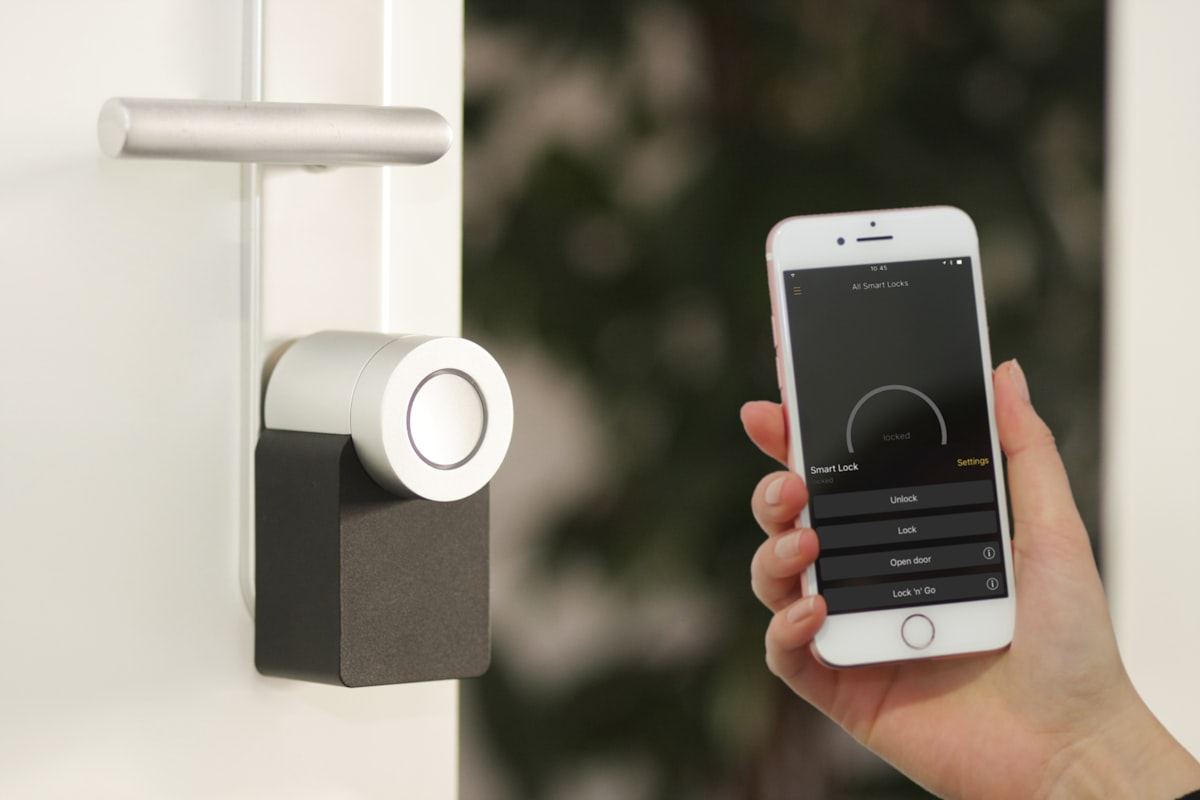
A smart lock is the single most important piece of technology for remote hosting. It eliminates key exchanges, provides secure and traceable access, and offers the flexibility that modern guests expect. I remember the 'bad old days' of mailing keys or hiding them under mats—it was a security nightmare.
Top Smart Lock Options for 2026
🏆 Schlage Encode Plus (My #1 Pick)
I use this on 90% of my properties. It has WiFi built-in (no hub required) and is incredibly reliable. The battery life is excellent, and it even works with Apple HomeKey, allowing guests to tap their iPhone or Watch to enter.
- WiFi built-in (no hub required)
- Apple HomeKey compatible
- Physical key backup (crucial for emergencies)
- Investment: ~$300
🥈 Yale Assure Lock 2
A great alternative with a sleeker design. It offers multiple module options (WiFi, Z-Wave, Zigbee) making it highly versatile if you're building a broader smart home ecosystem like SmartThings or Home Assistant.
- Sleek, modern design (touchscreen or keypad)
- Integration with many smart home platforms
- Auto-unlock feature when guests arrive
- Investment: ~$200-280
Smart Lock Best Practices I've Learned the Hard Way
Don't just install the lock and forget it. Follow these rules to avoid 2 AM phone calls:
- Always have a physical backup: I hide a physical key in a secure master-lock box somewhere on the property as a 'failsafe' in case the smart lock fails.
- Sync with your PMS: Use software like Hospitable or Jervis to automatically generate unique guest codes that expire at checkout.
- Check batteries monthly: Most smart locks will alert you, but I have my cleaner check the battery levels physically during every turnover.
- Include instructions in your welcome book: Some guests struggle with touchscreens. Use our Appliance Guide Generator to create clear 'How to Enter' instructions.
Smart Thermostats: Comfort Meets Efficiency
A smart thermostat does double duty: keeps guests comfortable and saves you money. On one of my beach properties, I saved $150 in a single month just by being able to turn off the AC after a guest left it running at 65 degrees with the windows open.
Thermostat Strategy for Rentals
I've found that guests can be 'aggressive' with temperature settings. Here's how I handle it:
- Set Hard Limits: I lock my Ecobee thermostats to a range of 68-78°F. Guests can adjust within that range, but they can't set it to 50 or 90.
- Geofencing: Set the thermostat to 'Away' mode automatically when no motion is detected for 4 hours.
- Pre-conditioning: I set the temperature to a comfortable 72°F about two hours before a guest's scheduled arrival.
Noise Monitoring: Protect Your Property and Neighbors
Neighbor relations are the lifeblood of a sustainable rental. One bad party can lead to a city ban. Noise monitoring devices give you early warning before the police are called.
How Noise Monitors Work (And Why They're Legal)
Modern noise monitors like **Minut** or **NoiseAware** are privacy-compliant. They measure decibel levels continuously but **do NOT record actual audio**. They don't know what guests are saying; they just know how loud they are. I disclose these in my House Rules to set expectations early.
Budget Breakdown: Complete Smart Home Setup
Setting up a smart home is an investment, but the ROI in saved time and utility costs is immediate. Here's what I budget for a typical 3-bedroom property:
| Device | Budget Choice | Premium Choice |
|---|---|---|
| Smart Lock | $150 (August) | $300 (Schlage Encode) |
| Thermostat | $130 (Nest E) | $250 (Ecobee Premium) |
| Noise Monitor | $100 (Minut) | $150 (NoiseAware) |
| Water Sensors (x3) | $60 (Govee) | $120 (Moen Flo) |
| Total | $440 | $820 |
Connectivity: The Mesh Network Requirement
All this tech is useless if your WiFi is flaky. Standard routers provided by ISPs are notoriously bad at handling 20+ connected devices (TVs, phones, laptops, smart home gear). I recommend a **Mesh WiFi System** like Eero or Google Nest WiFi. It ensures a strong signal in every corner of the house, which means your smart lock and cameras never go offline.
Want to make connecting to your premium WiFi even easier? Use our WiFi QR Creator to let guests scan and join in seconds.
Conclusion: Technology as Your Virtual Presence
Smart home technology has transformed what's possible for remote hosts. With the right setup, you can manage a property thousands of miles away with better oversight than a local landlord. Start with the smart lock, then the thermostat, and build your stack as your business grows. Your future self will thank you for the peace of mind.
Ready to upgrade your guest experience? Explore our 75+ free hosting tools designed to help you automate and professionalize your rental business today.